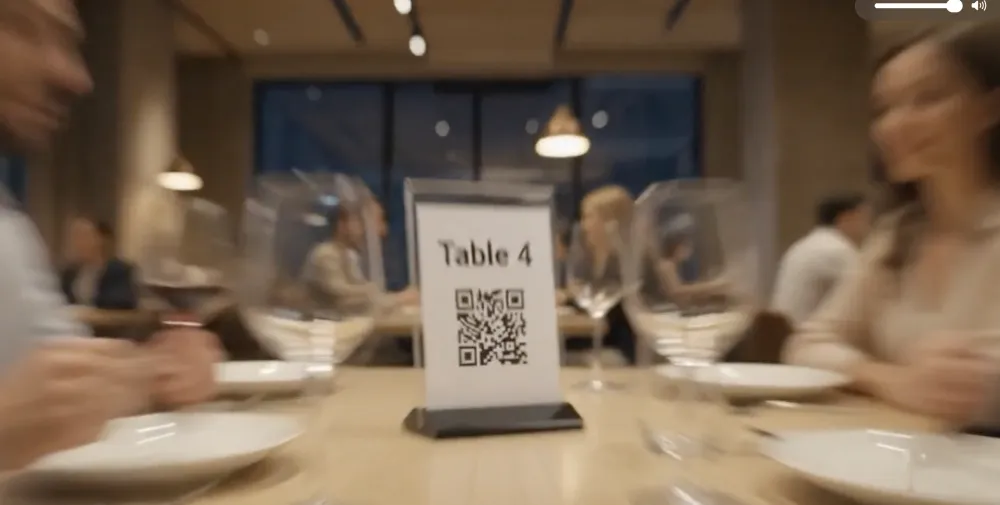
Order starts at a table, passes through a waiter or digital ordering channel, reaches the kitchen, becomes a bill, produces a payment, affects stock and expenses, and eventually appears in a management report.
When every part of that journey uses a different system—or no system at all—small mistakes quickly become expensive problems.
An item is entered incorrectly. A kitchen ticket disappears. A reservation is forgotten. A menu price is outdated. A manager cannot explain why sales increased but profit did not.
This is the problem restaurant management software is designed to solve.
A modern restaurant management system brings the most important parts of restaurant operations into one connected platform. Instead of managing your POS, tables, QR menu, kitchen tickets, staff, payments, expenses, and reports separately, you can manage them through a centralized workflow.
That matters more than ever.
The National Restaurant Association projects U.S. restaurant sales of approximately $1.55 trillion in 2026, yet it also reports that 42% of operators said their restaurants were not profitable in 2025. More than nine in ten operators identified rising costs—including food, labor, insurance, energy, and payment fees—as significant challenges.
In this environment, restaurant owners do not need more disconnected tools.
They need better operational control.
This guide explains what restaurant management software is, how it works, which features matter, what mistakes to avoid, and how to select the right platform for your restaurant.
What Is Restaurant Management Software?
Restaurant management software is a digital platform used to organize, control, and monitor restaurant operations.
Depending on the system, it may include:
- Point-of-sale functionality
- Menu management
- Dine-in and takeaway orders
- QR-code ordering
- Kitchen order tickets
- Table management
- Reservations
- Customer records
- Staff accounts and permissions
- Payments and billing
- Delivery management
- Expense tracking
- Sales and performance reports
- Multi-branch management
The simplest systems may only record orders and payments.
More complete platforms connect the customer-facing experience with front-of-house operations, kitchen workflows, financial reporting, and management decisions.
That difference is important.
A cash register tells you how much money was collected.
A complete restaurant management system helps you understand:
- Where the order came from
- Which table placed it
- Which staff member handled it
- Which items were ordered
- Which modifiers were selected
- When the kitchen received it
- Whether it was cancelled or refunded
- How the customer paid
- Which branch generated the sale
- How the transaction affected daily performance
That is the real value of restaurant management software: it turns individual transactions into an organized operational system.
How Does a Restaurant Management System Work?
A restaurant management system connects the different stages of the customer and operational journey.
Consider a typical dine-in order.
Step 1: The customer browses the menu
The customer may receive a printed menu, scan a QR code, or speak to a waiter.
With a digital system, the customer can view current menu items, prices, descriptions, images, options, and availability.
Step 2: The order enters the system
The order may be entered by:
- A waiter
- A cashier
- The customer through a QR code
- An online ordering website
- A takeaway counter
- A delivery channel
The system records the order and associates it with the correct table, customer, order type, or branch.
Step 3: The kitchen receives the order
The order is converted into a kitchen order ticket, often called a KOT.
The ticket can show:
- Order number
- Table number
- Items
- Quantities
- Modifiers
- Cooking preferences
- Special instructions
- Order time
This gives the kitchen a structured version of the order instead of relying on handwritten notes or verbal communication.
Step 4: The order status changes
Restaurant staff can move the order through statuses such as:
- New
- Confirmed
- Preparing
- Ready
- Served
- Completed
- Cancelled
This allows the front-of-house and kitchen teams to follow the same order journey.
Step 5: The customer receives the bill
The system calculates:
- Item totals
- Modifiers
- Taxes
- Discounts
- Service charges
- Delivery charges
- Final amount
The restaurant can then print or digitally present the bill.
Step 6: The payment is recorded
The payment may be made through cash, card, an online gateway, cash on delivery, or another configured method.
Step 7: Management receives the data
The transaction can appear in reports covering:
- Sales
- Payments
- Menu items
- Categories
- Taxes
- Refunds
- Cancelled orders
- Branch performance
- Outstanding amounts
Instead of rebuilding this information manually, managers can review it from the restaurant dashboard.
Why Modern Restaurants Need Management Software
Restaurant technology is not valuable simply because it is modern.
It is valuable when it removes friction from a real operational process.
The National Restaurant Association reports that restaurants are investing in digital ordering, payments, automation, analytics, and other tools to streamline operations, manage costs, and improve customer experiences. It also found that only around one in ten operators considered themselves at the forefront of technological innovation, while nearly three in ten believed they were behind their competitors.
Here are the practical reasons restaurant management software matters.
1. It reduces disconnected work
Without a centralized platform, a restaurant might use:
- One system for POS
- Another for reservations
- A spreadsheet for expenses
- A messaging application for kitchen communication
- A separate QR-menu provider
- Another dashboard for online payments
Employees then spend time transferring information between tools.
That creates duplicate work and more opportunities for mistakes.
A connected restaurant management system reduces unnecessary handoffs by keeping related operations in one environment.
2. It improves order visibility
An order should never become a mystery.
Restaurant staff should be able to see whether an order is new, preparing, ready, paid, cancelled, or completed.
That visibility becomes especially important during peak hours, when several tables, takeaway orders, and delivery requests may arrive at the same time.
3. It makes menu changes easier
Printed menus are difficult to update.
A digital menu allows authorized staff to change:
- Prices
- Descriptions
- Photos
- Categories
- Variations
- Availability
- Special offers
A restaurant can remove a sold-out item or update a price without printing an entirely new menu.
For multi-branch operations, menu software may also allow managers to standardize selected items while keeping branch-specific prices or products.
4. It creates accountability
When staff members have separate accounts, actions can be connected to specific users.
This helps management understand:
- Who created an order
- Who approved a discount
- Who cancelled an item
- Who processed a refund
- Who changed a menu price
- Who received a payment
Accountability is not about monitoring employees unnecessarily. It is about creating an operational record that managers can review when something goes wrong.
5. It provides useful business data
A restaurant can be busy and still be unprofitable.
Revenue alone does not tell you whether:
- Discounts are too high
- Refunds are increasing
- A menu category is underperforming
- Expenses are rising
- One branch is weaker than another
- Customers are leaving payments outstanding
- Popular items generate sufficient margins
Restaurant reports provide the starting point for asking better business questions.
6. It supports growth
A process that works for one location may collapse when the business reaches three, five, or ten branches.
Multi-branch restaurant software can help owners centralize:
- Menus
- Staff permissions
- Branch settings
- Taxes
- Currencies
- Orders
- Payments
- Reports
- Performance comparisons
A scalable platform allows the restaurant to add locations without rebuilding its entire operational system.
Essential Restaurant Management Software Features
Not every restaurant needs every available feature.
However, the following capabilities should be evaluated before choosing a platform.
1. Restaurant POS System
The point-of-sale system is where restaurant orders and payments are processed.
A useful restaurant POS should make it easy to:
- Find menu items
- Add quantities
- Select modifiers
- Assign tables
- Add customers
- Apply authorized discounts
- Calculate taxes
- Choose payment methods
- Print bills
- Review completed orders
Speed matters, but clarity matters just as much.
A fast POS with a confusing interface can still produce mistakes.
Staff should be able to understand the ordering workflow with reasonable training.
2. Menu Management
Menu management should go beyond typing item names and prices.
A strong menu module can include:
- Multiple menus
- Categories
- Item descriptions
- Images
- Prices
- Variations
- Modifier groups
- Availability
- Item sorting
- Category sorting
- Allergen information
- Branch-specific menus
Imagine that a restaurant sells burgers.
A customer might need to choose:
- Single or double patty
- Type of cheese
- Cooking preference
- Extra toppings
- Side dish
- Sauce
- Drink size
These choices should be structured as options rather than typed into an unorganized note every time.
3. QR-Code Menu and Ordering
A QR menu allows customers to scan a code with their smartphones and open the restaurant’s digital menu.
A complete QR ordering system can go further by allowing customers to:
- Browse menu categories
- View item details
- Select modifiers
- Add special instructions
- Place an order
- Request assistance
- Follow the ordering process
- Make an online payment, where supported
The important distinction is this:
A QR menu displays information.
A QR ordering system allows the customer to take action.
Restaurants should also consider customer choice. Some diners may prefer speaking to a waiter or using a printed menu. A well-designed restaurant experience can offer digital convenience without making less technical customers feel excluded.
4. Kitchen Order Tickets
Kitchen order tickets create a structured connection between order entry and food preparation.
When a customer or staff member submits an order, the kitchen should receive the necessary information without waiting for someone to repeat it verbally.
A useful KOT can display:
- Table or order number
- Order type
- Items
- Quantities
- Modifiers
- Notes
- Preparation status
- Order time
Restaurants should also be able to record removed items and cancellation reasons.
Without that record, managers may see that an order changed but not understand why.
5. Table and Floor-Plan Management
Table management software helps restaurants organize physical seating areas.
A restaurant may need to define:
- Indoor areas
- Outdoor areas
- Family sections
- Rooftops
- Terraces
- VIP spaces
- Private rooms
Within each area, managers can create tables with numbers, names, capacities, and QR codes.
A custom floor plan can also help staff understand which tables are available, occupied, reserved, or waiting for payment.
6. Reservation Management
Reservation software should help the restaurant manage:
- Customer name
- Contact information
- Date
- Time
- Number of guests
- Assigned table
- Reservation status
- Special requests
- Notes
The purpose is not only to store bookings.
It is to prevent double-booking, prepare for expected demand, and use the restaurant’s seating capacity more effectively.
7. Staff Roles and Permissions
Not every employee should have complete system access.
A waiter may need to create orders but not change tax settings.
A cashier may need to collect payments but not create subscription plans.
A branch manager may need to review reports for one location but not access company-wide administration.
Permission settings should reflect real responsibilities.
Possible roles include:
- Owner
- Administrator
- Branch manager
- Cashier
- Waiter
- Kitchen employee
- Accountant
- Delivery executive
Good permission management protects sensitive settings while keeping daily work practical.
8. Payment and Billing Management
Restaurant software should accurately record how each order was paid.
Depending on the business, payment options may include:
- Cash
- Card
- Online payment
- Cash on delivery
- Partial payment
- Due payment
- Mixed payment methods
Billing features can include:
- Tax calculation
- Discounts
- Service charges
- Receipt printing
- Restaurant branding
- Payment history
- Outstanding balances
Before choosing a platform, verify which payment gateways are available in the countries where your restaurant operates.
9. Customer Management
A customer database can help a restaurant maintain organized records of:
- Names
- Phone numbers
- Email addresses
- Delivery addresses
- Order history
- Reservation history
- Preferences
- Notes
- Spending activity
Restaurants should collect only the information they genuinely need and handle personal information according to applicable privacy requirements.
Customer records are most useful when they support better service—not when data is collected without a clear purpose.
10. Expense Tracking
Sales are only one side of restaurant performance.
Expense management helps owners record operational spending, such as:
- Supplies
- Maintenance
- Utilities
- Marketing
- Transportation
- Cleaning
- Repairs
- Recurring services
Expenses can be organized by category, branch, payment method, and date.
This does not replace professional accounting software in every situation, but it provides restaurant managers with a clearer operational picture.
11. Reports and Analytics
A restaurant management system should convert operational records into understandable reports.
Useful reports may include:
- Daily sales
- Item sales
- Category sales
- Payment methods
- Taxes
- Expenses
- Refunds
- Cancelled orders
- Due payments
- Delivery performance
- Cash-on-delivery orders
- Branch comparisons
More reports are not always better.
A system is useful when managers can find the right information and understand what it means.
For example, an item-sales report should help answer:
- Which items sell most often?
- Which items rarely sell?
- Which categories perform best?
- Are customers purchasing modifiers?
- Do item preferences vary by branch?
12. Multi-Branch Management
Restaurant groups need visibility at both company and branch levels.
A multi-branch platform should allow authorized managers to:
- Switch between branches
- Compare performance
- Configure local menus
- Set branch-specific prices
- Manage local staff
- Configure currencies and taxes
- Review branch orders
- Standardize selected operations
Brightery vMenu, for example, is built as a cloud-based, multi-tenant platform. Its official product information states that restaurants can manage multiple locations through a centralized administration panel, standardize or customize branch menus, and configure branch-specific currencies, taxes, and prices.
Cloud-Based vs. On-Premise Restaurant Software
One of the first decisions restaurant owners face is where the software will operate.
Cloud-based software
Cloud-based restaurant management software is accessed through the internet.
Potential advantages include:
- Access from different devices
- Centralized updates
- Remote management
- Easier multi-branch access
- Reduced need for local server maintenance
- Subscription-based pricing
Potential limitations include:
- Dependence on internet access
- Ongoing subscription costs
- Reliance on the provider’s infrastructure
- Possible limitations on customization or data access
On-premise software
On-premise software is installed on local restaurant hardware or servers.
Potential advantages include:
- Greater local control
- Possible operation without constant internet access
- Specific customization opportunities
- Direct control over local infrastructure
Potential limitations include:
- Higher setup requirements
- Hardware maintenance
- Manual updates
- More difficult remote access
- More complex multi-location management
Neither model is automatically right for every business.
The best choice depends on internet reliability, branch structure, technical resources, security requirements, and operational priorities.
Brightery vMenu is officially described as a 100% cloud-based SaaS platform. It can be accessed from supported devices with an internet connection, allowing restaurant managers to update menus and monitor operations remotely.
Restaurant Management Software for Different Business Types
A small café and a multi-country restaurant franchise do not have identical needs.
The software should fit the operating model.
Small restaurants
A single-location restaurant may prioritize:
- Simple POS
- Menu management
- Table orders
- Kitchen tickets
- Billing
- Basic reports
- Affordable pricing
- Easy staff training
The biggest danger is buying a system so complicated that employees avoid using it correctly.
Cafés
Cafés may need:
- Fast counter ordering
- Item modifiers
- Takeaway orders
- Customer display
- Multiple payment methods
- Simple menu updates
- Peak-hour performance
Modifiers are especially important for drink sizes, milk options, flavors, toppings, and preparation preferences.
Fine-dining restaurants
Fine-dining operations may prioritize:
- Table and floor-plan management
- Reservations
- Detailed guest notes
- Structured service workflows
- Course timing
- Staff permissions
- Discreet customer experiences
Technology should support hospitality rather than replace it.
Quick-service restaurants
Quick-service restaurants may need:
- Fast order entry
- Customer ordering
- Clear kitchen tickets
- High order capacity
- Takeaway support
- Status displays
- Efficient payments
In this environment, every unnecessary ordering step can create a queue.
Food trucks
Food trucks may prioritize:
- Mobile access
- Fast POS
- Compact menu design
- Takeaway ordering
- Digital payments
- Simple reporting
The system should work well on the devices employees can realistically use in a limited physical space.
Hotels
Hotels may require:
- Multiple dining areas
- Restaurant and room ordering
- Reservations
- Customer requests
- Branch or outlet management
- Payment flexibility
- Multilingual menus
Integration requirements should be verified carefully if the hotel expects the restaurant system to connect with property-management or room-account systems.
Restaurant chains and franchises
Multi-location businesses may prioritize:
- Central administration
- Branch-level permissions
- Standardized menus
- Local pricing
- Multi-currency support
- Branch comparisons
- High order limits
- Central reports
The software must support both control and flexibility.
Too much central control can prevent branches from responding to local needs. Too little control can create inconsistent pricing, branding, and reporting.
How Much Does Restaurant Management Software Cost?
Restaurant software pricing can vary significantly.
The final cost may depend on:
- Number of branches
- Number of users
- Number of daily orders
- Available features
- Payment processing
- Hardware requirements
- Setup fees
- Data migration
- Training
- Support level
- Integrations
- Custom development
- Monthly or annual billing
Do not compare platforms based only on the advertised monthly price.
A low-cost system can become expensive if it requires several additional services.
A more complete platform may reduce the need to pay separately for:
- QR menus
- Reservation software
- Kitchen tickets
- Expense tracking
- Reports
- Customer ordering pages
- Multi-branch dashboards
Brightery vMenu currently offers subscription plans with different staff, branch, and daily order limits. Its official website also advertises a 30-day trial. Features listed across its plans include menus, tables, reservations, KOTs, customers, reports, expenses, payments, delivery executives, waiter requests, payment integrations, themes, and customer displays. Pricing and plan limits can change, so restaurants should review the current plan details before subscribing.
How to Choose the Right Restaurant Management Software
The best system is not the one with the longest feature list.
It is the one that fits your restaurant’s real workflow.
Use the following process.
Step 1: Document your current operation
Write down how your restaurant currently handles:
- Menu updates
- Order creation
- Kitchen communication
- Tables
- Reservations
- Payments
- Expenses
- Reports
- Staff permissions
- Branches
Do not begin with software features.
Begin with your operational reality.
Step 2: Identify your biggest problems
Examples include:
- Too many incorrect orders
- Slow order entry
- Lost kitchen tickets
- Unclear table status
- Difficult menu updates
- Weak branch visibility
- Manual reporting
- Unauthorized discounts
- Untracked cancellations
- Multiple disconnected subscriptions
Prioritize problems according to financial and operational impact.
Step 3: Separate required features from optional features
Create two categories.
Required features:
Capabilities the restaurant cannot operate without.
Optional features:
Capabilities that would be useful but should not determine the entire decision.
This prevents an attractive but unnecessary feature from distracting you from fundamental requirements.
Step 4: Test the real workflow
Do not evaluate only screenshots or a sales presentation.
Test a realistic order:
- Create a table.
- Add a customer.
- Select menu items.
- Add modifiers.
- Send the order to the kitchen.
- Remove an item.
- Apply a discount.
- Process the payment.
- Print the bill.
- Find the transaction in a report.
This simple test can reveal more than an hour of feature descriptions.
Step 5: Involve restaurant employees
Managers do not use every part of the system in the same way as cashiers, waiters, and kitchen staff.
Ask employees:
- Is the interface clear?
- Can they find items quickly?
- Are modifier options understandable?
- Is the KOT easy to read?
- Are order statuses useful?
- Could this work during peak hours?
Employee feedback can reveal problems management misses.
Step 6: Review scalability
Ask what happens when you add:
- More users
- More orders
- A second branch
- New currencies
- Different tax rules
- More menu items
- Delivery operations
A restaurant should not need to replace its entire platform immediately after growing.
Step 7: Examine support and onboarding
Ask the provider:
- How is the system configured?
- Is training available?
- How quickly does support respond?
- Which support channels are offered?
- Is assistance available during restaurant operating hours?
- Who handles data migration?
- How are bugs and outages communicated?
- Is documentation available?
Support quality can matter as much as the software itself.
Questions to Ask Before Buying Restaurant Software
Before signing a contract, ask:
- Is the platform cloud-based, on-premise, or hybrid?
- What happens if the internet connection fails?
- Which devices and browsers are supported?
- How many branches are included?
- How many staff accounts are included?
- Are there daily or monthly order limits?
- Can permissions be customized by role?
- Can menus and prices vary by branch?
- Which currencies and tax structures are supported?
- Which payment gateways are available?
- Can data be exported?
- Are reports available by branch?
- Can cancelled items and refunds be audited?
- Is customer information protected?
- Are software updates included?
- Is onboarding included?
- Are there setup or migration charges?
- Can the restaurant cancel its subscription?
- Who owns the restaurant’s data?
- How can data be retrieved when leaving the platform?
A provider should be able to answer these questions clearly.
Common Restaurant Software Mistakes
Buying based only on price
The cheapest tool is not always the lowest-cost solution.
Hidden inefficiencies, missing features, training difficulties, and extra subscriptions can cost more than the software itself.
Choosing unnecessary complexity
More features can mean more screens, settings, and training.
A restaurant should not pay for complexity it cannot use.
Ignoring staff experience
A system can look impressive in a management demonstration and still frustrate the employees who use it every day.
Skipping workflow testing
Feature lists do not show how many steps are required to complete an order.
Always test real tasks.
Failing to configure permissions
Giving every employee administrator access creates avoidable operational and security risks.
Not cleaning menu data
Migrating duplicated categories, outdated prices, inconsistent item names, and irrelevant products simply moves old problems into a new platform.
Launching without training
Even intuitive software requires rules.
Employees should understand:
- How to create orders
- How to edit orders
- When cancellation approval is required
- How to handle payments
- How to report problems
- Which actions they are authorized to perform
Expecting software to repair a broken process automatically
Technology can organize a process, but it cannot decide what the process should be.
Restaurant management must first define responsibilities, approval rules, and operating standards.
Restaurant Management Software Implementation Checklist
A successful implementation should happen in stages.
Before implementation
- Define operational goals
- Select responsible project leaders
- Document existing workflows
- Clean menu and customer data
- Define staff roles
- Confirm tax settings
- Confirm payment methods
- Prepare devices and printers
- Test internet reliability
- Schedule employee training
During setup
- Add restaurant details
- Create branches
- Configure areas and tables
- Upload menu categories
- Add menu items
- Configure modifiers
- Set prices and taxes
- Create staff accounts
- Assign permissions
- Configure payment methods
- Test kitchen tickets
- Test bill printing
- Test QR codes
- Verify reports
Before launch
- Run sample dine-in orders
- Run sample takeaway orders
- Test cancellations
- Test refunds
- Test partial or due payments
- Test different staff roles
- Test peak-hour scenarios
- Confirm support contacts
- Back up required data
- Define a temporary fallback process
After launch
- Review employee feedback
- Check order errors
- Monitor cancellations
- Verify payment totals
- Review reports daily
- Correct menu problems
- Adjust permissions
- Document recurring issues
- Schedule a 30-day performance review
How Brightery vMenu Helps Modern Restaurants
Brightery vMenu Restaurant Management System is designed to connect restaurant operations through one cloud-based platform.
Rather than offering only a static QR menu, it connects customer ordering with POS operations, kitchen tickets, tables, payments, staff access, and business reporting.
Its officially listed capabilities include:
- Restaurant POS
- QR-code menus and ordering
- Menu and category management
- Kitchen order tickets
- Table and floor-plan management
- Reservations
- Staff roles and permissions
- Bill printing
- Stripe and Razorpay payment integrations
- Customer records
- Delivery executives
- Waiter requests
- Expense management
- Restaurant reports
- Customer displays
- Multi-branch administration
The platform is designed for single restaurants, cafés, high-volume dining businesses, and multi-branch operations.
A practical example
Imagine a customer enters a restaurant and scans the QR code assigned to Table 12.
The customer:
- Opens the digital menu.
- Selects a meal.
- Chooses available modifiers.
- Adds special instructions.
- Submits the order.
The order is connected to Table 12 and routed into the restaurant’s POS and kitchen workflow.
Kitchen staff can review the order through the KOT process, while front-of-house employees can follow its status.
When the customer finishes, the restaurant can prepare the bill, record the payment, and include the transaction in its reports.
The manager does not need to reconstruct the order from a paper ticket, a separate payment terminal, and a spreadsheet.
That is the difference between adding another tool and building a connected restaurant operation.
Restaurant Management Software Buyer’s Checklist
Before selecting a platform, confirm that it meets your needs in each category.
Operations
- POS and order management
- Dine-in orders
- Takeaway orders
- Kitchen tickets
- Order statuses
- Cancellation tracking
- Refund tracking
Menu
- Categories
- Item images
- Descriptions
- Modifiers
- Variations
- Allergen details
- Availability controls
- Branch-specific pricing
Customer experience
- QR menu
- Mobile ordering
- Waiter requests
- Reservations
- Customer display
- Online payments
Management
- Staff roles
- Permissions
- Expense tracking
- Reports
- Data exports
- Branch comparison
- Multi-currency support
Technical requirements
- Supported devices
- Supported browsers
- Internet requirements
- Printer compatibility
- Payment gateways
- Data security
- Backups
- Support
- Updates
Commercial terms
- Subscription price
- Setup charges
- User limits
- Branch limits
- Order limits
- Payment-processing costs
- Contract term
- Cancellation terms
- Data export policy
Frequently Asked Questions
What is restaurant management software?
Restaurant management software is a platform that helps restaurants manage operations such as orders, POS transactions, menus, kitchen tickets, tables, reservations, payments, staff, expenses, branches, and reports.
What is the difference between a POS and a restaurant management system?
A POS mainly processes orders and payments. A restaurant management system may include a POS while also managing menus, kitchens, tables, reservations, employees, expenses, customers, branches, and analytics.
Can small restaurants use restaurant management software?
Yes. Small restaurants can use it to organize ordering, menus, kitchen communication, billing, and basic reports. The platform should remain simple enough for the restaurant’s team and operating model.
Is cloud restaurant software better?
Cloud software provides remote access, centralized updates, and easier multi-location management. However, it depends on a reliable internet connection. Whether it is better depends on the restaurant’s infrastructure and requirements.
Can restaurant management software reduce order mistakes?
It can reduce mistakes caused by unclear handwriting, repeated verbal communication, unstructured modifiers, and disconnected order channels. Results still depend on correct setup, staff training, and consistent use.
Does restaurant management software include inventory?
Some platforms include full inventory management, while others focus on menus, orders, tables, payments, and reports. Restaurants should confirm whether ingredient-level inventory and recipe costing are included before purchasing.
Can one system manage several restaurant branches?
Yes, if it supports multi-branch operations. Confirm whether it offers centralized management, individual branch reports, local pricing, currencies, taxes, permissions, and menu controls.
Can customers order by scanning a QR code?
Yes, when the platform includes QR ordering. The customer scans a table code, opens the digital menu, selects items, and submits the order through a smartphone.
Do customers need to download an application?
Not necessarily. Many web-based QR ordering systems allow customers to open the menu directly in a mobile browser without installing an application.
How long does restaurant software implementation take?
Implementation time depends on restaurant size, menu complexity, number of branches, staff training, data migration, payment configuration, and hardware requirements. A small restaurant with clean data may be configured faster than a multi-branch operation with complex workflows.
How should restaurants measure software success?
Restaurants can monitor order-entry time, order mistakes, cancelled items, menu-update time, payment discrepancies, employee adoption, report preparation, and branch visibility. Select measurements connected to the problems the software was purchased to solve.
Is Brightery vMenu only a QR menu?
No. Brightery vMenu is positioned as a complete cloud-based restaurant management platform. Its listed modules include QR ordering, POS, kitchen order tickets, menu management, tables, reservations, payments, staff permissions, expenses, reports, and multi-branch administration.
Can Brightery vMenu manage multiple restaurant branches?
Yes. Its official product information states that multiple locations can be managed through a centralized account, with options for branch-specific or standardized menus, performance tracking, currencies, taxes, and pricing.
Does Brightery vMenu work without the internet?
No offline capability is currently advertised on the official product page. Brightery vMenu is described as a 100% cloud-based SaaS platform that requires an internet connection.
Final Thoughts
Restaurant management software should do more than help a restaurant collect money.
It should create a clear operational journey from the moment a customer chooses an item to the moment management reviews the transaction.
The right platform can connect:
- Customers
- Waiters
- Cashiers
- Kitchens
- Tables
- Payments
- Managers
- Branches
But software alone does not create a successful restaurant.
The best results come from combining the right platform with clear processes, clean data, trained employees, useful reports, and consistent management.
Brightery vMenu gives modern restaurants the infrastructure to bring those elements together.
It replaces fragmented workflows with one cloud-based environment for restaurant ordering, POS operations, QR menus, kitchen tickets, table management, payments, staff control, and reporting.
Manage the complete restaurant journey—from QR scan to kitchen, payment, and performance report—with Brightery vMenu.
Start Your 30-Day Brightery vMenu Trial
Explore how Brightery vMenu can help your restaurant organize orders, menus, tables, kitchen operations, payments, teams, and branches through one centralized platform.
0 Responses
Share your perspective and continue the conversation.
No responses yet
Be the first to share your thoughts.
Join the conversation