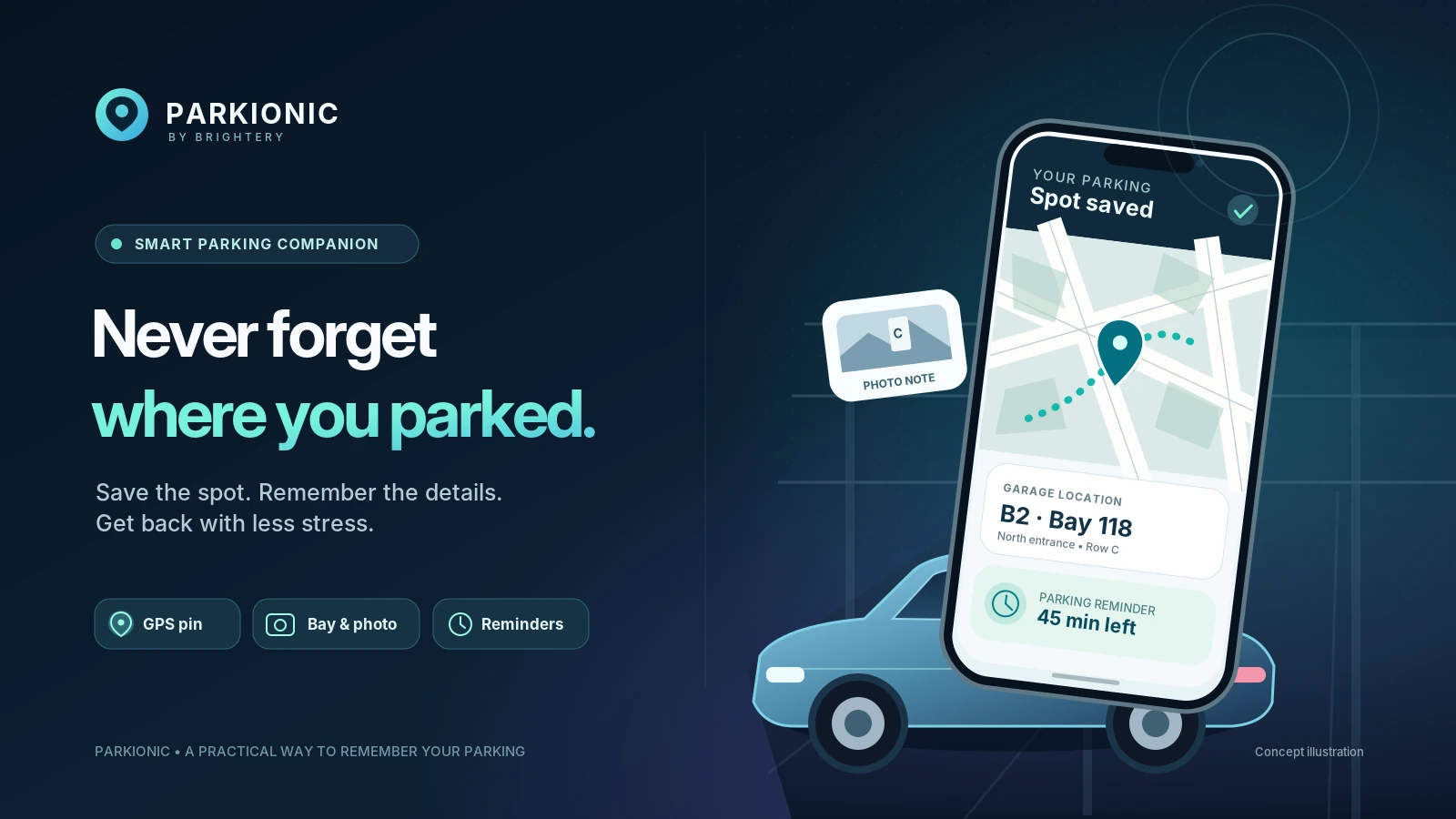
You're leaving a busy mall, airport car park or an unfamiliar street. Then comes the question: “Where did I leave the car?” A saved map pin can help, but it may not tell you the garage level, bay number or when your paid parking period ends. Parkionic by Brightery brings those everyday details into one smart parking companion: remember your parking location, keep a visual clue and set a timely reminder before you walk away.
This is not an app that magically finds a vacant parking bay or pays a parking ticket for you. Its value is more practical: making the moment after parking easier to manage and the return trip less stressful. Whether you drive daily in Dubai, visit a large shopping center in Egypt or rent a car while traveling, a repeatable parking routine can save unnecessary searching.
What makes Parkionic a smart parking app?
Parkionic combines a GPS parking marker with useful context that a bare pin often misses. When you park, you can save the approximate location and time, attach a photo, write the floor or section, and record the spot number. The app also includes a map, parking history and configurable reminders. Its interface supports English, Arabic and Japanese, so drivers can use the language they are most comfortable with.

The app is designed for guest-first use: you do not have to register just to remember your vehicle. Core saved-parking functions work locally on the phone. For people who prefer to minimize unnecessary account creation, this is a meaningful design choice rather than another obstacle between them and a simple task.
How to remember where you parked in under a minute
- Stop safely. Finish parking, put the vehicle in a safe position and open Parkionic while stationary. Never interact with your phone while driving.
- Save the map location. Allow location access while using the app, then confirm that the GPS marker represents the correct entrance or parking area.
- Record the missing detail. Add “Level B2, Row C, Bay 118,” a landmark or another recognizable note. Photograph the garage sign or section marker if permitted.
- Set the parking timer. Choose a duration that matches your ticket or local rule and set an advance reminder. Adjust it if you extend the session.
- Return using the record. Open your saved parking entry, inspect the note and photo, and use the map or external walking directions to get back toward the saved location.
This short routine is particularly useful in multistory garages. Satellite signals can be inaccurate indoors or underground, and a GPS point cannot identify your parking floor or exact bay. A photo of the nearest sign and a manually entered level can be more valuable than false precision. If you change garages or entrances, update your note before leaving.
Parking reminders that support better decisions
A parking reminder is useful for much more than avoiding an inconvenient walk back to the vehicle. It can prompt you to check a paid session, consider whether to renew through the authorized parking operator, or leave enough time to reach the car. Parkionic supports preset and custom parking durations, as well as an adjustable advance notification.
Remember that a phone reminder is not a guarantee of legal compliance. Notification permissions, battery settings, silent modes and operating-system scheduling can affect delivery. Always rely on the actual signs, ticket conditions, official operator information and local rules for the payment deadline and applicable charges. Give yourself a buffer rather than setting the timer at the exact expiry minute.
Why photo, bay number and parking history matter
A city street and an airport garage create very different memory problems. On the street, an approximate GPS marker and a nearby landmark may be sufficient. Inside a garage, the building section, floor color, pillar code and bay number often matter more. Parkionic lets you keep these clues together instead of splitting them between a notes app, camera roll and messaging yourself.
The parking history view can help when you return to a frequently used location or want to check the details of a previous stop. If you travel with family, make sure the person returning to the car can read the saved landmark; do not assume that the map pin alone explains the route. Parkionic currently opens external OpenStreetMap walking directions rather than offering its own built-in turn-by-turn navigation.
How is Parkionic different from simply saving a Google Maps pin?
Google Maps already offers useful parked-car saving features, including manual parking locations and, on supported devices, automatic saving. It is an excellent general navigation tool. Parkionic's approach is more focused on the parking session itself: your time limit, reminders, photo, notes and parking history live together in a parking-oriented interface. A practical choice is to use the app that suits your routine; they can complement rather than replace each other.
Parkionic's maps are based on OpenStreetMap data. That helps provide a recognizable location view without implying that the app knows every garage's rules or real-time availability. It does not promise vacancy detection, automatic fines prevention, parking payment, live garage prices or connected vehicle-tag tracking. Those features should not be inferred from the phrase “smart parking.”
Privacy and offline use: what drivers should know
The core parking record, including local photographs and OCR material, remains on the device. Optional anonymous synchronization can be enabled separately; it is off by default and is not a complete account backup or cross-device restoration service. Photo images and personal free-text notes are not uploaded through that sync. Because location information is sensitive, review permissions and remove saved records when no longer needed.
Parkionic includes on-device recognition for Latin letters and numbers to help capture some parking signs, but users should verify and edit the result. Arabic and Japanese script recognition is not currently supported even though the app interface is available in those languages. In poor lighting or unusual fonts, manual entry is the safer option.
Who benefits most from a dedicated parking companion?
- Shopping-mall visitors who park in a large multistory facility and need to remember their level or section.
- Frequent city drivers who need a reminder to check their parking time before it expires.
- Travelers and car-rental users who park in unfamiliar neighborhoods, airports and hotels.
- Busy families and professionals who would rather save a quick record than rely on memory after several stops.
Try a smarter way to park with Brightery Parkionic
The best parking technology does not need to be complicated. It should help you complete a small, important task at the right moment. Parkionic is built around that idea: save your spot, remember the details, check your time and find your way back. Download Parkionic for Android on Google Play, or explore the app and other store availability on Parkionic's official website.
Parkionic also reflects Brightery's product-first approach to useful mobile software. If your business is exploring a similarly focused customer experience, read Brightery's mobile app development capabilities and mobile application development guide for the strategy behind dependable mobile products.
Frequently asked questions about Parkionic
Does Parkionic automatically detect every parking spot?
No. It helps you save a location and supporting details. A best-effort movement suggestion may be available with permission, but it does not automatically save a parking session or identify an exact garage bay.
Can Parkionic tell me precisely how much parking will cost?
No universal price calculator is offered. Parking guidance is shown only where appropriate verified rules are available; otherwise confirm fees and restrictions directly with the operator and posted signs.
Do I need an account to save my car's location?
No. The core guest parking experience is designed to work without sign-up. Optional synchronization requires a separate choice and does not imply cross-device recovery.
Will the reminder always arrive on time?
No mobile notification is guaranteed. Enable notifications, choose a sensible early warning and check the official expiry time yourself.
0 Responses
Share your perspective and continue the conversation.
No responses yet
Be the first to share your thoughts.
Join the conversation