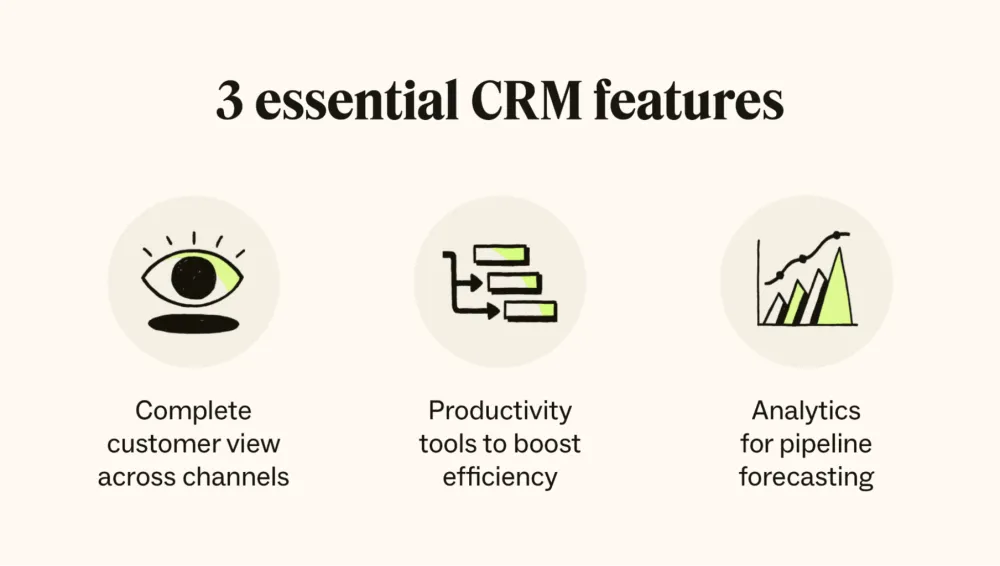
Customer relationships are the foundation of every successful business. Whether we sell products, provide services, manage leads, or build long-term partnerships, growth depends on how well we understand, organize, and improve every interaction with our customers. That is where CRM becomes essential.
CRM, or Customer Relationship Management, is the system, strategy, and technology we use to manage relationships with current customers, potential buyers, leads, partners, and contacts across the full business journey. It helps us track conversations, store contact details, monitor sales activity, automate follow-ups, improve service quality, and create a complete view of every customer in one place.
In today’s competitive market, businesses can no longer rely on scattered spreadsheets, lost emails, handwritten notes, or disconnected tools. A well-structured CRM transforms customer data into a practical growth engine. It helps teams become faster, more organized, more responsive, and more profitable.
What Is CRM in Simple Terms?
In simple terms, CRM is a centralized system that helps businesses manage customer interactions and data. It brings together information such as names, phone numbers, email addresses, company details, sales history, support requests, meeting notes, quotations, invoices, and follow-up activities into one organized platform.
Instead of asking, “Who spoke with this lead last?” or “Did we send the proposal?” or “Why did this customer stop buying from us?” we can open the CRM and see the full story. Every call, message, deal stage, note, reminder, and customer action becomes visible.
CRM is not only software. It is also a business approach. It reflects how we attract prospects, nurture trust, close deals, retain customers, and build stronger relationships over time. The technology supports the strategy, but the real goal is better customer management and better business decisions.
What Does CRM Stand For?
CRM stands for Customer Relationship Management.
Each word matters.
- Customer refers to the people or organizations we serve, sell to, or communicate with.
- Relationship refers to every touchpoint between the business and the customer, including marketing, sales, support, onboarding, renewals, and retention.
- Management refers to the structured process of organizing, tracking, analyzing, and improving those interactions.
When combined, CRM means building a reliable system for managing customer relationships in a way that supports growth, service quality, and long-term value.
Why CRM Matters for Business Growth
A business can generate leads and still fail. It can have strong products and still lose customers. In many cases, the problem is not demand. The problem is poor customer management.
Without CRM, businesses often face the same costly issues: duplicated contacts, missed follow-ups, inconsistent communication, unclear sales pipelines, slow customer service, weak reporting, and limited visibility across teams. These problems reduce conversion rates and damage trust.
With CRM, we gain control over the full customer lifecycle. We know where leads come from, which deals are active, who needs a callback, which customers are ready for upselling, and which accounts need attention before they churn. This visibility improves execution at every level.
A strong CRM helps businesses:
- organize lead and customer data
- track communication history
- improve sales performance
- automate repetitive tasks
- increase team accountability
- deliver better customer service
- measure marketing and sales results
- strengthen customer retention
- forecast revenue more accurately
In other words, CRM turns customer data into action.
How CRM Works
A CRM system works by collecting, storing, updating, and presenting customer information in a structured way. Every interaction becomes part of a shared record that teams can access and use.
For example, when a new lead fills out a form, the CRM can create a profile automatically. It can assign the lead to a sales representative, schedule a follow-up, record the source of the inquiry, and move the lead into a pipeline. If the lead becomes a customer, the same profile can continue to store contracts, notes, support tickets, purchases, and future opportunities.
This process creates continuity. Instead of treating marketing, sales, and support as separate worlds, CRM connects them.
A typical CRM workflow includes:
- capturing lead data from forms, ads, calls, or imports
- segmenting contacts by source, industry, interest, or stage
- assigning tasks and reminders to team members
- tracking emails, calls, meetings, and messages
- updating deal stages in the sales pipeline
- storing documents, proposals, and notes
- generating reports on performance and outcomes
The result is a more organized business that can respond quickly, act consistently, and scale efficiently.
- AI for Sales Teams
- AI Customer Service Automation
- How to Automate Marketing with AI
- AI Automation for Business
The Main Types of CRM
CRM systems generally fall into three major categories, although many modern platforms combine all three.
Operational CRM
Operational CRM focuses on automation and daily business processes. It helps manage sales, marketing, and customer service workflows. This type of CRM is ideal for businesses that need structure, speed, and process consistency.
It usually includes lead capture, task automation, email sequencing, follow-up reminders, pipeline tracking, helpdesk integration, and workflow rules.
Analytical CRM
Analytical CRM focuses on data analysis and business intelligence. It helps teams understand customer behavior, identify trends, evaluate campaign performance, and improve decision-making.
This type of CRM is useful when we want answers to questions like: Which channels bring the highest-quality leads? Which customer segments convert best? Which accounts are most profitable? Why are customers leaving?
Collaborative CRM
Collaborative CRM improves communication across departments. It allows marketing, sales, support, and account management teams to work from the same customer record. This reduces confusion and creates a smoother customer experience.
When teams collaborate through a shared CRM, the customer does not need to repeat information, and the business can respond with greater precision.
Core Features of a CRM System
A powerful CRM contains more than a digital address book. The most valuable systems include features that support customer acquisition, conversion, retention, and reporting.
Contact Management
This is the core of CRM. It stores names, phone numbers, emails, companies, job titles, notes, and communication history in an organized profile.
Lead Management
CRM helps us capture, qualify, score, assign, and monitor leads from different channels. We can track where leads came from and how they move through the funnel.
Sales Pipeline Management
A pipeline view shows deals by stage, value, probability, owner, and expected close date. This makes it easier to prioritize opportunities and forecast revenue.
Task and Activity Tracking
Calls, emails, meetings, follow-ups, and reminders can all be scheduled and logged. This improves accountability and prevents missed opportunities.
Email Integration
Many CRM platforms connect with email tools so communication history is attached to customer records. This creates a complete conversation trail.
Automation
CRM automation can assign leads, send follow-up emails, trigger reminders, update statuses, and move deals through workflows without manual effort.
Reporting and Dashboards
Reports help us measure team activity, conversion rates, sales performance, lead sources, customer lifetime value, and more.
Customer Support Tools
Some CRM systems include ticketing, complaint tracking, live chat, knowledge bases, or customer service histories to improve support quality.
Segmentation
Contacts can be filtered by behavior, demographics, company type, deal stage, region, or any custom field. This supports more targeted communication.
Mobile Access
Modern CRM tools often include mobile apps, allowing teams to update records, check customer history, and manage deals from anywhere.
Who Should Use CRM?
CRM is not limited to large enterprises. It is valuable for startups, SMEs, agencies, retailers, consultants, SaaS companies, healthcare providers, educational institutions, real estate teams, financial services firms, and B2B sales organizations.
Any business that interacts with leads, customers, or clients can benefit from CRM. If we need to manage relationships, follow up on opportunities, organize communication, or improve retention, CRM is relevant.
Small businesses use CRM to avoid chaos and build professional systems early. Growing companies use it to scale operations and improve visibility. Larger organizations use it to coordinate teams, standardize workflows, and analyze performance at a deeper level.
CRM for Sales Teams
For sales teams, CRM provides structure and momentum. It shows which leads are new, which prospects are engaged, which deals need follow-up, and where revenue is likely to come from.
Sales representatives can log activities, schedule meetings, attach proposals, update deal stages, and monitor their pipeline in real time. Sales managers can track team performance, identify bottlenecks, and coach based on actual data.
A good CRM improves sales discipline. It reduces guesswork and makes the pipeline visible. Instead of relying on memory, the team works from a system.
CRM for Marketing Teams
For marketing teams, CRM creates clarity around lead quality and campaign performance. It connects lead generation with actual business outcomes.
When CRM is integrated with landing pages, ads, forms, and email marketing tools, marketers can see how leads are generated, nurtured, and converted. They can segment contacts based on behavior, run personalized campaigns, and measure return on investment more accurately.
This is where CRM becomes far more than a contact database. It becomes a performance engine that connects marketing activity with revenue.
CRM for Customer Service
Customer service improves dramatically when agents have full context. CRM gives support teams access to customer history, past orders, previous complaints, account notes, and communication logs. This makes support faster, more accurate, and more personal.
Instead of asking customers to repeat their problem, service teams can respond with context and continuity. This improves satisfaction and strengthens trust.
In service-driven businesses, CRM helps transform support from reactive problem-solving into relationship-building.
Benefits of Using CRM
The benefits of CRM are practical, measurable, and long-term. Businesses that use CRM effectively often experience stronger team performance and higher customer value.
Key benefits include:
- better lead organization
- faster response times
- improved conversion rates
- stronger customer retention
- clearer pipeline visibility
- better internal communication
- reduced manual work
- more accurate reporting
- more personalized communication
- better decision-making
A CRM system helps us stop operating blindly. It replaces scattered information with structured intelligence.
Common CRM Challenges
CRM can deliver major value, but only when implemented correctly. Some businesses fail with CRM because they treat it as a tool without a process. Others overload the system with poor data or never train the team properly.
Common CRM challenges include:
- inconsistent data entry
- lack of team adoption
- overcomplicated workflows
- poor integration with existing tools
- unclear sales stages
- weak reporting setup
- no ownership or accountability
The solution is not to avoid CRM. The solution is to use it strategically. A CRM should match the business model, support real workflows, and remain easy enough for teams to use consistently.
How to Choose the Right CRM
Choosing the right CRM starts with business needs. The best platform is not the one with the longest feature list. It is the one that fits the way we sell, market, serve, and grow.
When evaluating CRM solutions, we should consider:
- business size and growth stage
- sales process complexity
- number of users
- required integrations
- automation needs
- reporting requirements
- mobile accessibility
- customization options
- ease of use
- total cost of ownership
A CRM should feel like a growth tool, not a burden. Simplicity, clarity, and scalability matter more than feature overload.
What Is CRM Strategy?
A CRM strategy is the business plan behind the system. It defines how we collect customer data, how we use it, who manages it, what workflows exist, what follow-up rules apply, and how success is measured.
The software alone does not create results. Results come from the strategy that guides how the software is used.
A strong CRM strategy includes:
- clear lead stages
- customer segmentation rules
- response time expectations
- follow-up processes
- automation triggers
- reporting structure
- sales and service standards
- retention and upselling plans
When strategy and CRM technology work together, the business becomes more disciplined and more scalable.
The Future of CRM
CRM continues to evolve. Modern platforms are becoming more intelligent, more automated, and more deeply integrated with communication, analytics, and customer experience tools.
The future of CRM includes stronger automation, better data visibility, improved personalization, smarter lead scoring, enhanced customer journey mapping, and tighter integration between marketing, sales, and support. Businesses that invest in structured customer management will continue to outperform those that rely on fragmented systems.
CRM is no longer optional for serious growth. It is infrastructure.
Conclusion: CRM Is the Engine Behind Stronger Customer Relationships
CRM is the framework that helps us manage customer relationships with precision, consistency, and scale. It organizes contacts, tracks communication, supports sales, improves service, and turns data into business action.
When used correctly, CRM does not simply store customer information. It helps us build stronger pipelines, deliver better experiences, improve team execution, and increase long-term value from every relationship.
For businesses that want more than random follow-ups and disconnected tools, CRM provides a clear path forward. It gives structure to growth, visibility to performance, and depth to every customer interaction.
FAQ About CRM
What is CRM used for?
CRM is used to manage customer data, track interactions, organize leads, support sales pipelines, automate follow-ups, improve service, and generate reports.
What does CRM mean in business?
In business, CRM means Customer Relationship Management. It refers to the systems and processes used to manage customer relationships across marketing, sales, and support.
Is CRM only for sales teams?
No. CRM supports sales, marketing, customer service, account management, and leadership teams. It is useful wherever customer relationships matter.
Can small businesses use CRM?
Yes. Small businesses often benefit greatly from CRM because it helps them stay organized, improve follow-up, and scale without losing control of customer data.
What is the main purpose of CRM?
The main purpose of CRM is to improve how a business manages customer relationships, increases efficiency, and drives growth through better organization and better decisions.
0 Responses
Share your perspective and continue the conversation.
No responses yet
Be the first to share your thoughts.
Join the conversation