The Simple and easy tricks to remove ssh password infinite input and let your self "Not Hackers" to ssh passwordless login, Simple ssh command can ssh without password easy login, No more logins using ssh with password. Long live lazy people
How To SSH passwordless login
You need to be lazy enough to ssh passwordless login and automate your logins with ssh without password, you need to ssh passwordless login to make it easier and faster to login you servers, Now you can follow the ssh command written to make it easier and faster to log in your Server ssh passwordless login.

Login in ssh with password
I have a long time working with servers so I'm getting bored because I don't save passwords, I've to open emails and tickets and check each customer server credentials to log in their servers and manage it.
so I got an idea to create a short command and that let me login directly without asking me about IP, Username or even password. follow up on these steps to set your short commands.
Where can I use the ssh command and commands to login ssh without password
Well, the answer to this question is that you can make ssh command and move over your ssh password that with macOS or Linux (Centos, Ubuntu, Debian or RedHat) Terminal.
each time you log in your server you execute this command
# ssh username@host
and you may use custom port too, so you add it to the command like this
#ssh username@host -p 2059
now you can short this code by adding it as an alias on your terminal by following this step
# nano ~/.bash_profile
and add this line
alias my_server="ssh [email protected]"

Save the file, now we created the alias, so we can just use this command
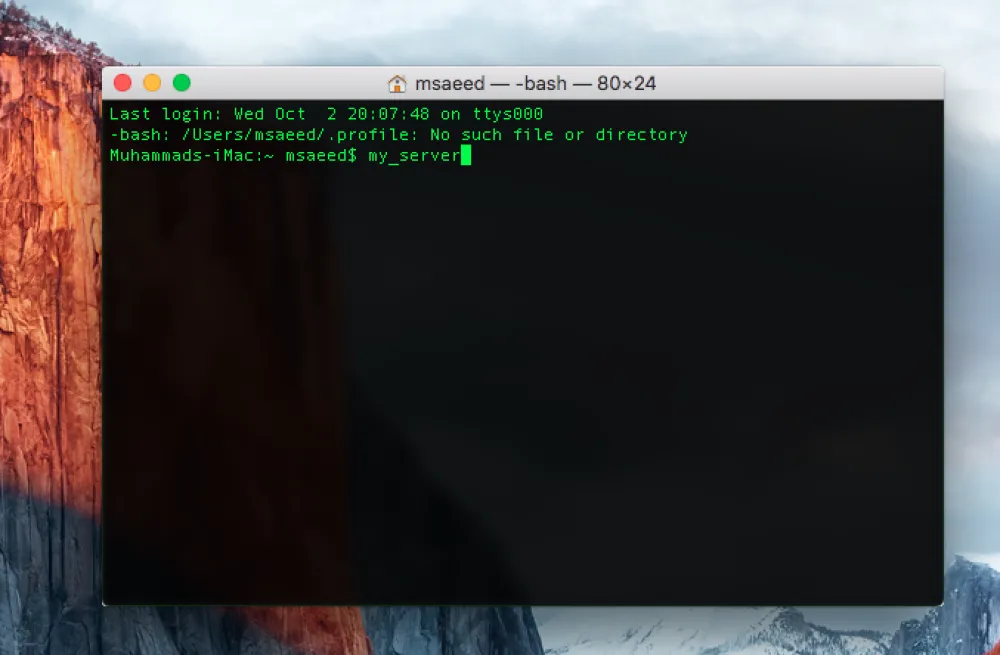
# my_server
and if you're lazy like me you can write my and press tab button so it will be autocompleted itself
now we need to access without a password, so we will create certificate to let the server know us, it's recommended to create a different certificate for each server for security purpose. follow me to create your certificate and copy it to the server.
# ssh-keygen -t rsa
Generating public/private rsa key pair.
Enter file in which to save the key (/home/a/.ssh/id_rsa):
Created directory '/home/a/.ssh'.
Enter passphrase (empty for no passphrase):
Enter same passphrase again:
Your identification has been saved in /home/a/.ssh/id_rsa.
Your public key has been saved in /home/a/.ssh/id_rsa.pub.
The key fingerprint is:
3e:4f:05:79:3a:9f:56:7c:3b:ad:e9:57:37:bc:37:s4 a@A
Now copy the certificate to your server and enter your server password one last time.
# cat .ssh/id_rsa.pub | ssh [email protected] 'cat >> .ssh/authorized_keys'
No more ssh with password
we're now done, now you can easily log in with no longer ssh with password, Keep lazy and automate everything.
0 Responses
Share your perspective and continue the conversation.
No responses yet
Be the first to share your thoughts.
Join the conversation