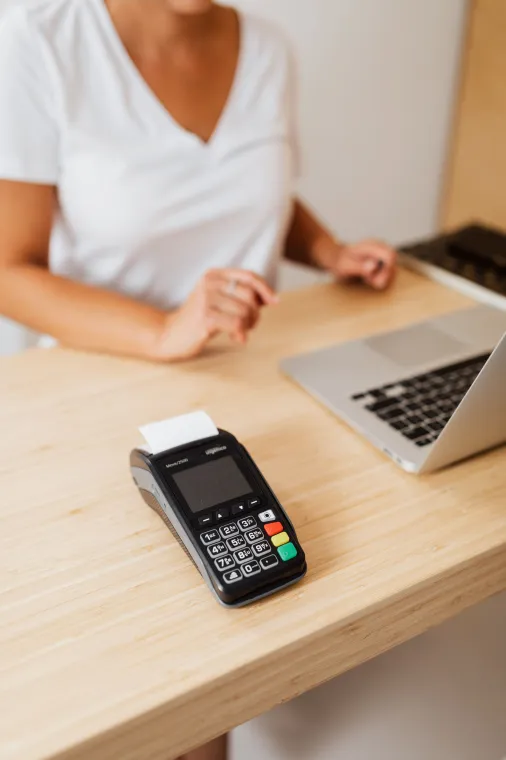
Retail growth often begins with opportunity and ends with operational pressure. A business opens another branch, launches an online store, adds more products, hires more employees, and begins selling through additional channels. Revenue may rise, but so do stock differences, manual tasks, delayed reports, purchasing mistakes, and customer-service problems.
A Retail ERP system gives the business one operational foundation for managing sales, products, inventory, stores, warehouses, suppliers, purchasing, customers, employees, finance, and reporting. Instead of allowing every department to operate from a separate application or spreadsheet, the platform connects daily retail activities through shared data and controlled workflows.
Modern ERP software for retailers must do more than produce accounting reports. It should help cashiers complete sales, allow warehouse teams to receive and move inventory, help purchasing teams replenish stock, give managers accurate branch performance, and connect physical retail with ecommerce.
For businesses that sell primarily online or need deeper coverage of digital order management, Shopify, WooCommerce, warehouse integration, and omnichannel fulfillment, read Brightery’s cornerstone guide to ecommerce ERP software. This guide focuses on the broader retail environment, including stores, branches, point of sale, inventory, procurement, finance, and omnichannel operations.
What Is a Retail ERP System?
A Retail ERP system is a centralized business platform designed to manage the operational and financial processes of a retail company. It brings together information that would otherwise remain divided between point-of-sale software, inventory tools, accounting applications, supplier files, customer databases, ecommerce platforms, and management spreadsheets.
The term ERP means enterprise resource planning. In retail, the resources being planned and controlled include:
- Products and product variations
- Inventory across stores and warehouses
- Sales and returns
- Cash registers and payment methods
- Suppliers and purchasing
- Customer accounts and loyalty
- Staff access and approvals
- Expenses, taxes, and accounting
- Ecommerce and marketplace orders
- Reports, forecasts, and performance indicators
A basic POS records a sale. A Retail ERP system explains the entire commercial effect of that sale: which location lost stock, which batch or serial number moved, how much gross profit was generated, which cashier completed the transaction, whether commission is due, how tax should be recorded, and whether new stock must be purchased.
That difference is why growing businesses eventually look for ERP for retail stores rather than adding another isolated plugin to an already fragmented operation.
Why Retail Businesses Outgrow Separate Software
A new shop may operate successfully with a POS application, spreadsheets, and a simple accounting tool. That arrangement becomes less reliable when the business adds locations, channels, employees, products, or complex fulfillment rules.
Inventory numbers stop matching
One system shows stock available, another shows it reserved, and the warehouse has a different physical quantity. Returns may be placed back into inventory without inspection, while transfers may remain unconfirmed between branches.
A Retail ERP system records stock through controlled movements such as purchases, sales, returns, transfers, adjustments, damage, reservations, and inventory counts. This movement history makes the current balance traceable instead of treating inventory as a number that employees can overwrite.
Oracle describes retail ERP as supporting purchasing, distribution, order fulfillment, financial close, and inventory management across customer journeys rather than within one isolated channel.
Managers cannot see the whole business
A branch manager may understand local sales, while the finance team sees consolidated revenue and the warehouse team sees inventory. None of them has a complete picture.
Effective Retail business management software combines these views while applying role-based access. Executives can compare locations, branch managers can control their stores, purchasing teams can evaluate demand, and warehouse employees can focus on receiving and fulfillment.
Employees repeat the same work
An online order is copied into the POS. A supplier invoice is entered again in the accounting application. Stock is adjusted manually after marketplace sales. Customer details exist in several databases.
This duplication wastes time and introduces mistakes. Retail operations software should allow each transaction to enter once and then trigger the related inventory, financial, fulfillment, and reporting activities automatically.
Expansion becomes risky
Opening a new branch should not require rebuilding the company’s processes from the beginning. A Retail ERP system provides repeatable rules for product setup, pricing, taxes, user permissions, inventory, purchasing, cash control, and reporting.
What Does a Retail ERP System Manage?
The value of a Retail ERP system comes from connecting workflows, not merely placing many menu items inside one dashboard.
Product information
The platform should maintain a structured product record containing:
- Product name and description
- SKU and barcode
- Brand and category
- Simple or variable product type
- Size, color, material, and other attributes
- Purchase cost and selling price
- Tax rules
- Supplier information
- Weight and dimensions
- Images and documents
- Warranty information
- Batch, lot, serial, or expiry controls
- Store and channel availability
Strong ERP software for retailers also supports channel-specific product information. A retailer may use one internal product identity while publishing different descriptions, images, prices, or availability to selected stores and ecommerce channels.
Point of sale
A connected POS should support:
- Barcode scanning
- Product and customer search
- Discounts and promotions
- Multiple payment methods
- Split payments
- Credit sales
- Quotations and suspended sales
- Returns and exchanges
- Receipt and invoice printing
- Cash-register opening and closing
- Shift reconciliation
- Offline operating capability
- Customer loyalty and store credit
- Cashier permissions and approval limits
Microsoft’s commerce platform combines point-of-sale capabilities with real-time inventory visibility across channels, loyalty, ecommerce, and configurable deployment. A serious Retail ERP system should follow the same principle: the POS is one connected interface within the larger retail operation.
Inventory and stock control
Inventory is one of the most important reasons businesses adopt ERP for retail stores.
Required features include:
- Inventory by store, warehouse, and bin
- Available, reserved, damaged, and in-transit quantities
- Stock transfers
- Purchase receiving
- Sales deductions
- Return inspection
- Cycle counts and full stock counts
- Stock adjustments with documented reasons
- Low-stock and reorder alerts
- Batch and serial tracking
- Expiry-date management
- Inventory valuation
- Stock aging
- Slow-moving inventory
- Complete inventory movement history
Retailers need enough inventory to meet demand without locking unnecessary cash into products that may remain unsold. Oracle notes that retail inventory and order-management systems help businesses respond to changing buying behavior while balancing product availability against excessive stock.
Purchasing and supplier management
A Retail ERP system should connect sales demand to purchasing decisions.
The purchasing module should cover:
- Supplier profiles
- Supplier products and price lists
- Purchase requests
- Purchase orders
- Approval workflows
- Expected delivery dates
- Partial receiving
- Landed costs
- Supplier invoices
- Supplier returns
- Payment status
- Lead-time tracking
- Supplier performance
- Replenishment recommendations
This allows the retailer to answer practical questions:
- What products should we purchase?
- How much inventory should we order?
- Which branch or warehouse needs the stock?
- Which supplier offers the best price?
- Which suppliers deliver consistently on time?
- Which products are at risk of running out?
Store and branch management
Multi-branch Retail business management software should provide a central head-office view while preserving approved local control.
The system may support:
- Branch-specific inventory
- Branch-specific prices
- Local promotions
- Different taxes or currencies
- Register and shift management
- Location-based user permissions
- Inter-branch transfers
- Branch expenses
- Local purchasing controls
- Branch sales targets
- Location performance comparisons
- Consolidated reports
The objective is not to force every location into identical commercial behavior. The objective is to create central governance while allowing controlled differences between branches.
Warehouse management
A Retail ERP system for a growing retailer should extend beyond stock balances into warehouse execution.
Useful warehouse features include:
- Purchase receiving
- Quality checks
- Put-away
- Bin and shelf locations
- Barcode scanning
- Picking lists
- Packing
- Shipment creation
- Transfer dispatch
- Transfer receiving
- Cycle counting
- Wave or batch picking
- Return receiving
- Damaged-stock quarantine
Warehouse systems improve visibility into merchandise movement and can help reduce order errors and out-of-stock situations. The warehouse interface should therefore be designed for fast daily execution, not only for management reporting.
Order management
Retail orders may originate from physical stores, websites, marketplaces, mobile applications, call centers, or wholesale representatives.
The Retail ERP system should standardize these orders and apply shared rules for:
- Product validation
- Pricing
- Taxes
- Payment status
- Inventory reservation
- Location routing
- Picking and packing
- Partial fulfillment
- Shipment
- Cancellation
- Returns
- Exchanges
- Refunds
Omnichannel order management unifies order information across online stores, marketplaces, social commerce, B2B channels, and physical locations. This is a core requirement for modern Retail operations software.
Accounting and financial management
Retail sales reports are not a substitute for accounting. A Retail ERP system should connect operational transactions to financial control.
Features may include:
- Sales invoices
- Purchase bills
- Customer balances
- Supplier balances
- Accounts receivable
- Accounts payable
- Cash and bank accounts
- Expenses
- Tax reporting
- Payment-gateway settlements
- Cost of goods sold
- Inventory valuation
- Profit and loss
- Journal entries
- Financial periods
- Branch-level profitability
- Consolidated financial reporting
The finance team should not need to reconstruct the meaning of retail transactions after they happen. The platform should preserve the connection between the original sale, payment, return, inventory movement, and accounting entry.
Customer relationship management
All-in-one retail software should give employees a practical customer view containing:
- Contact information
- Purchase history
- Returns and exchanges
- Loyalty points
- Store credit
- Customer group
- Preferred location
- Communication consent
- Support notes
- Outstanding balance
- Customer lifetime value
This operational profile may connect to a specialized CRM for lead management, marketing automation, communication history, and sales pipelines.
Brightery explains the different responsibilities of both platforms in CRM vs ERP. Businesses that want customer-facing and back-office workflows to share information should also read ERP integration with CRM.
Retail ERP System vs POS Software
A POS application is mainly designed to process sales. A Retail ERP system manages the wider business surrounding those sales.
| Capability | POS software | Retail ERP system |
|---|---|---|
| Checkout and payment | Core function | Connected function |
| Cash-register shifts | Common | Integrated with finance |
| Basic product catalog | Common | Central product management |
| Store inventory | Common | Multi-store and multi-warehouse |
| Purchasing | Basic or optional | Complete workflow |
| Supplier management | Limited | Core capability |
| Accounting | Usually external | Integrated or connected |
| Ecommerce orders | Plugin-dependent | Omnichannel orchestration |
| Warehouse execution | Limited | Receiving, transfers, picking, and packing |
| Consolidated reporting | Limited | Business-wide reporting |
| Approval workflows | Limited | Configurable |
| Multi-company support | Rare | Frequently supported |
A retailer may keep a specialized POS interface, but it should exchange transactions with the central Retail ERP system in real time or through a reliable offline synchronization model.
Retail ERP System vs Inventory Software
Inventory software focuses on quantities and stock movements. A Retail ERP system connects those quantities to sales, purchasing, customers, suppliers, employees, accounting, and profitability.
A retailer that only needs more accurate stock counts may begin with an inventory application. A company that needs coordinated operations across departments is better served by complete Retail business management software.
Retail ERP System vs Ecommerce ERP Software
There is substantial overlap between the two categories, but the commercial emphasis differs.
A Retail ERP system is designed around stores, branches, registers, warehouses, purchasing, inventory, employees, and company-wide retail control.
Ecommerce ERP software places greater emphasis on online orders, digital sales channels, shipping integrations, fulfillment, marketplace synchronization, and high-volume order orchestration.
A retailer operating both physical and online channels needs a platform that supports both models. For a detailed explanation of the online side, visit Brightery’s ecommerce ERP software guide.
Omnichannel Retail Operations
Customers no longer treat a website, mobile application, marketplace listing, and physical store as completely separate businesses. They may research online, buy in a branch, request home delivery, and return the product through another location.
Modern ERP software for retailers should support:
- Shared product identities
- Inventory visibility by location
- Buy online and pick up in store
- Ship from store
- Endless-aisle ordering
- Cross-channel returns
- Shared customer profiles
- Unified loyalty
- Channel-specific prices and promotions
- Centralized order management
- Store and warehouse fulfillment
Microsoft describes its retail commerce model as unifying back-office, in-store, call-center, and digital experiences. Shopify similarly defines omnichannel retail as an integrated experience across physical, mobile, marketplace, social, and online touchpoints.
A Retail ERP system provides the operational layer required to deliver those promises accurately. The customer journey may be designed through the storefront, but inventory, order routing, payments, fulfillment, and returns must work reliably behind it.
Benefits of ERP Software for Retailers
One version of operational truth
A Retail ERP system reduces conflicting records by connecting products, sales, inventory, purchasing, suppliers, and finance.
Better inventory accuracy
Every sale, purchase, transfer, return, and adjustment updates the same controlled stock ledger.
Faster replenishment
Purchasing teams can use demand, availability, reservations, lead times, and incoming stock when making purchasing decisions.
Consistent multi-store control
ERP for retail stores gives head office consolidated visibility while allowing branches to operate within approved rules.
Improved customer service
Employees can view product availability, order status, purchase history, returns, balances, and loyalty information from one connected environment.
Stronger financial visibility
Managers can compare revenue with product cost, returns, discounts, shipping expenses, payment fees, operating expenses, and branch performance.
Easier expansion
New locations can reuse product data, workflows, user permissions, reporting models, and integration patterns.
Reduced manual work
Retail operations software can automate transaction posting, inventory deductions, replenishment alerts, order routing, customer updates, and reports.
Which Businesses Need ERP for Retail Stores?
A business may be ready for a Retail ERP system when:
- It operates more than one store or warehouse.
- Inventory differs between systems and physical counts.
- Employees repeatedly copy information between applications.
- Ecommerce and physical-store stock are disconnected.
- Purchasing depends mainly on personal judgment.
- Management reports require manual spreadsheet work.
- Returns are not connected to inventory and finance.
- The company cannot measure profit by product, branch, or channel.
- User permissions are too broad or poorly audited.
- New locations are difficult to launch.
- Existing software cannot support planned growth.
The size of the company is not the only factor. A small retailer with complex products, several sales channels, serial tracking, or strict approval requirements may need ERP for retail stores earlier than a larger but operationally simpler company.
Industry Applications
A configurable Retail ERP system can serve many retail models, but each industry may require specialized functionality.
Fashion and apparel
- Size and color matrices
- Seasonal collections
- Style codes
- Store allocation
- Markdown pricing
- Returns and exchanges
Electronics and mobile stores
- Serial and IMEI tracking
- Warranty records
- Accessories and bundles
- Repair workflows
- Supplier warranty claims
Supermarkets and grocery stores
- Weighted products
- Fast barcode checkout
- Batch and expiry tracking
- Supplier promotions
- High-volume purchasing
- Waste management
Cosmetics and beauty retail
- Batch and expiry dates
- Shade and size variations
- Product samples
- Customer loyalty
- Promotional bundles
Furniture and home products
- Large product catalogs
- Dimensions and materials
- Deposits
- Scheduled delivery
- Warehouse availability
- Assembly services
Auto parts
- Vehicle compatibility
- Alternative part numbers
- Serial numbers
- Supplier catalogs
- Multi-warehouse search
This is where configurable All-in-one retail software becomes more useful than a rigid generic application. The platform should retain a stable operational core while allowing industry modules and custom workflows.
Cloud, On-Premise, and Offline Retail ERP
Cloud Retail ERP system deployment offers centralized access, easier updates, shared information, and simpler support across several locations.
On-premise deployment may be selected when the retailer requires direct infrastructure control, specific data residency, or extensive local-system integration.
A hybrid model can place the main platform in the cloud while allowing stores to continue selected POS operations during internet outages. Microsoft includes cloud and edge POS operation within its commerce approach.
Offline operation requires more than storing transactions temporarily. The platform must manage:
- Device authorization
- Local data encryption
- Temporary inventory estimates
- Duplicate transaction prevention
- Synchronization queues
- Conflict resolution
- Failed-sync recovery
- Complete audit trails
How to Choose a Retail ERP System
Map your actual workflows
Do not begin with vendor feature lists. Document how products, purchases, inventory, sales, returns, cash, customers, and reports currently move through the business.
Define the required modules
Separate essential launch requirements from future phases. A retailer may initially need POS, inventory, purchasing, suppliers, accounting, and multi-store reporting. Advanced CRM, ecommerce, warehouse automation, loyalty, and AI can follow.
Test difficult scenarios
Ask vendors to demonstrate:
- The final unit being sold online and in-store at almost the same time
- A partial return after partial fulfillment
- A transfer dispatched by one branch but not yet received by another
- An order fulfilled from two locations
- A price change during an active promotion
- A refund returned to more than one payment method
- An offline POS transaction synchronized later
- A physical inventory count that conflicts with the recorded quantity
The quality of Retail operations software becomes clear when something goes wrong.
Evaluate extensibility
The platform should provide documented APIs, webhooks, modular extensions, audit logs, import tools, processing queues, and secure integration methods.
Review usability by role
Cashiers, warehouse employees, accountants, purchasing teams, managers, and administrators should not receive the same interface. Effective Retail business management software simplifies each person’s daily decisions.
Confirm ownership and portability
Understand who owns the data, how it can be exported, what happens when the contract ends, and whether custom modules can be maintained independently.
Retail ERP Implementation Process
Discovery
The implementation team maps locations, products, inventory, employees, suppliers, financial processes, channels, integrations, and reporting requirements.
Solution design
Future workflows, responsibilities, approval rules, permissions, documents, and data ownership are defined before development begins.
Data cleaning
Products, SKUs, barcodes, suppliers, customers, opening inventory, balances, and prices must be reviewed before migration.
Configuration and development
The Retail ERP system is configured, and the required modules, integrations, interfaces, reports, and migration scripts are developed.
Testing
Testing should cover normal transactions, exceptions, permissions, calculations, integrations, performance, offline behavior, and migration accuracy.
Training
Training should be role-specific and based on real daily scenarios.
Controlled launch
A phased release can begin with one location, one department, or a limited set of modules.
Stabilization
After launch, the team should monitor inventory accuracy, support requests, transaction errors, employee adoption, order speed, report reliability, and integration failures.
Custom Retail ERP Development
Ready-made All-in-one retail software can be effective when the retailer’s processes fit the available configuration. Custom development becomes valuable when the company has unique pricing, fulfillment, compliance, inventory, approval, franchise, or integration requirements.
Brightery provides custom software development for companies that need technology built around their operations instead of forcing those operations into a generic template.
Businesses combining physical retail with digital commerce may also benefit from Brightery’s custom ecommerce development.
A custom or hybrid retail project may include:
- Retail ERP architecture
- POS and offline applications
- Multi-store inventory
- Warehouse management
- Purchasing and supplier portals
- Accounting integration
- Shopify and WooCommerce connectors
- Customer loyalty
- Mobile applications
- Dashboards and analytics
- Industry-specific modules
- Data migration
- Security and user permissions
- Ongoing technical support
Why Brightery for Retail ERP Development?
A successful Retail ERP system requires more than programming. It requires business analysis, workflow design, user experience, data architecture, integrations, testing, deployment, and long-term maintenance.
Brightery combines custom software, ecommerce, web applications, CRM, and business-process automation. Brightery can help retailers evaluate whether they need a ready-made platform, a customized foundation, or a completely custom solution.
A Brightery retail ERP project can include:
- Operational discovery
- ERP and module planning
- User experience design
- POS development
- Inventory and warehouse development
- Ecommerce integration
- CRM integration
- Mobile and desktop applications
- Cloud deployment
- Migration and testing
- Employee training
- Maintenance and future releases
Retailers exploring a wider technology partnership can also read why Brightery is positioned as a software development company.
Final Takeaway
A Retail ERP system gives growing retailers the operational structure needed to manage stores, warehouses, ecommerce, purchasing, inventory, customers, employees, and finance through one connected environment.
The strongest ERP software for retailers does not simply collect features. It creates reliable relationships between transactions. A sale changes inventory. Inventory influences purchasing. Purchasing affects cash flow. Returns affect stock, customer records, and finance. Reports reflect the complete process rather than disconnected fragments.
Businesses searching for ERP for retail stores should focus on workflow fit, data integrity, usability, integration architecture, and the ability to expand.
The right Retail business management software should reduce manual work without hiding important controls. The right Retail operations software should make daily execution easier while giving management stronger visibility. The right All-in-one retail software should unify the company without becoming an inflexible operational burden.
Frequently Asked Questions
What is a Retail ERP system?
A Retail ERP system is software that connects products, POS sales, inventory, stores, warehouses, purchasing, suppliers, customers, accounting, and reporting through one operational platform.
What is the difference between retail ERP and POS?
POS software focuses mainly on checkout and payment. A Retail ERP system manages the wider operation, including multi-location inventory, purchasing, suppliers, warehouses, finance, permissions, and consolidated reporting.
Is ERP software for retailers suitable for small businesses?
Yes, when the business has operational complexity. ERP software for retailers can be useful for smaller companies with multiple channels, complex inventory, several locations, or demanding reporting requirements. A modular implementation prevents unnecessary complexity.
Can ERP for retail stores manage several branches?
Yes. ERP for retail stores can manage branch inventory, registers, employees, pricing, transfers, expenses, targets, and consolidated performance through one central platform.
What should Retail business management software include?
Retail business management software should include products, inventory, POS, purchasing, suppliers, customers, expenses, permissions, reports, and integrations. Multi-location businesses also require branch and warehouse controls.
Can Retail operations software connect to ecommerce?
Yes. Retail operations software can connect to Shopify, WooCommerce, marketplaces, and custom online stores to synchronize products, orders, customers, inventory, fulfillment, and returns.
Is All-in-one retail software always better?
Not automatically. All-in-one retail software is valuable when its modules are properly connected and suitable for the company. A large feature list is not helpful when workflows are difficult, integrations are unreliable, or employees cannot complete daily tasks efficiently.
Can a Retail ERP system work offline?
A Retail ERP system can support offline POS or warehouse applications when it includes secure local storage, device authorization, synchronization queues, duplicate prevention, and conflict resolution.
How long does retail ERP implementation take?
The timeline depends on the number of modules, stores, warehouses, integrations, data quality, customization, and training requirements. Phased implementation is often safer than launching every feature simultaneously.
Can Brightery build a custom Retail ERP system?
Yes. Brightery can plan and develop a custom Retail ERP system, including POS, inventory, purchasing, warehouse management, accounting integrations, ecommerce connectors, CRM, reports, and mobile applications.
0 Responses
Share your perspective and continue the conversation.
No responses yet
Be the first to share your thoughts.
Join the conversation